

What Is a Hardware Wallet?
A hardware wallet is a physical device specifically designed to store the private keys of your cryptocurrencies offline. Unlike software wallets or exchange-based wallets, which are connected to the internet and therefore susceptible to hacking, a hardware wallet keeps your assets in what’s known as cold wallet far removed from online threats like malware, phishing, and unauthorized access.
Whether you’re a long-term HODLer or an active trader, securing your digital wealth is non-negotiable. Devices like Ledger, Trezor, and Keystone are among the most trusted tools in the crypto space, giving you full control over your crypto funds.
Why Use a Hardware Wallet?
Maximum Security Through Cold Wallet
The most important benefit of a hardware wallet is that your private keys never touch the internet. This makes it nearly impossible for attackers to steal your funds remotely, unlike with hot wallets.
Full Ownership of Your Assets
You receive a seed phrase during setup typically 12 or 24 words. This phrase allows you to restore your wallet and funds in case of loss or damage to the device.
Built-in Transaction Verification
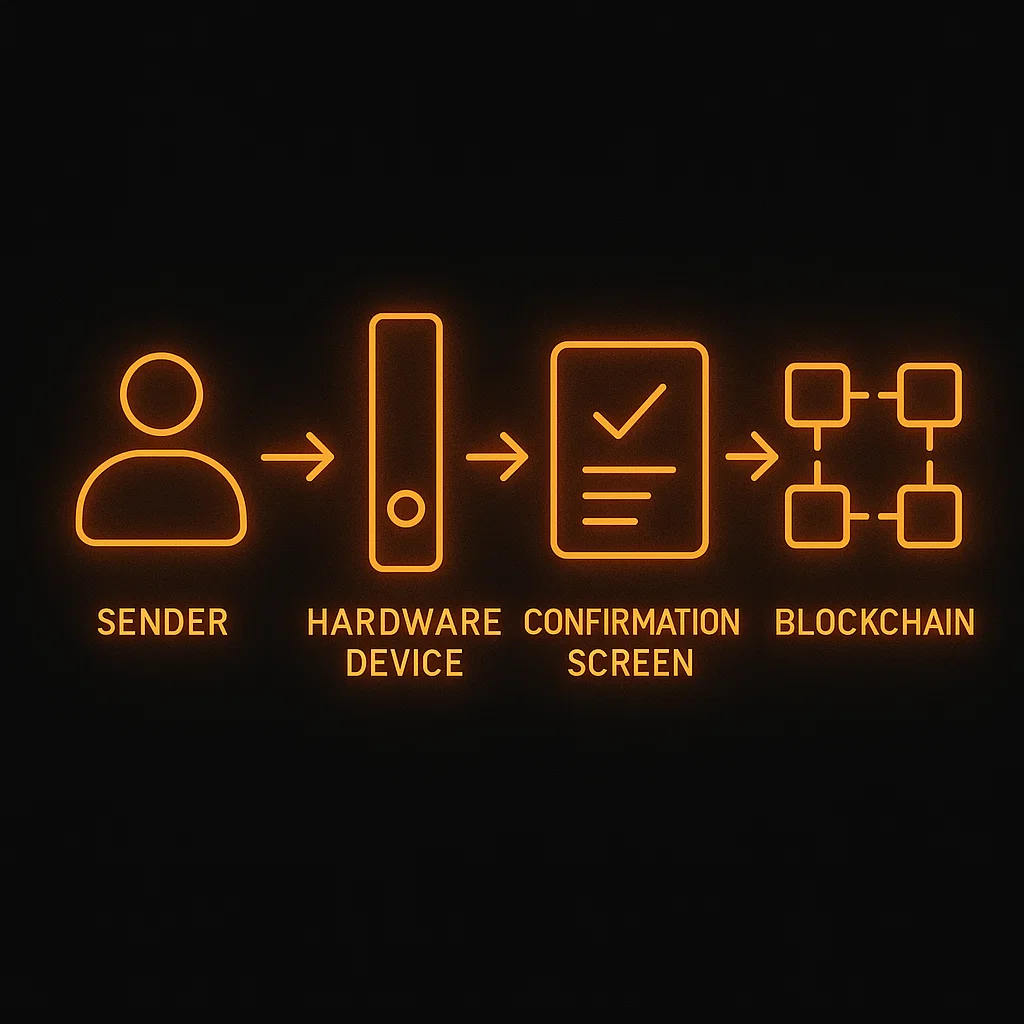
Before any crypto leaves your wallet, you must approve the transaction manually on the device. This eliminates accidental transfers and ensures you’re always aware of what’s happening.
How to Set Up a Hardware Wallet
Step 1: Purchase From an Official Source
Never buy a hardware wallet second-hand or from unverified vendors. Only buy directly from the manufacturer’s site or official partners to avoid compromised devices.
For serious HODLers, Ledger remains the gold standard in hardware wallet protection your keys, your coins.
Step 2: Initialize the Wallet
- Power on the device and follow the self-check prompts
- Choose “Create New Wallet”
- Write down the 24-word recovery phrase (some models use 12)
- Confirm the seed phrase directly on the device
- Set a secure PIN code to access the wallet
Step 3: Install the Companion App
Each brand has a dedicated interface:
- Ledger → Ledger Live
- Trezor → Trezor Suite
- Keystone → Keystone app or compatible wallet like Nunchuk
Using Your Hardware Wallet: Send and Receive Crypto
Ledger Workflow
- Install blockchain-specific apps (e.g., Ethereum, Bitcoin) via Ledger Live
- Add accounts for each coin you want to use
- Click “Receive” to display your address verify it matches on your device
- To send crypto, choose your account, enter the recipient address and amount, and confirm on the device
Trezor Workflow
- Connect the device and open Trezor Suite
- Select the coin, click “Receive”, and verify address visually
- When sending, input the recipient address, confirm fees, and approve on the device
Keystone Workflow
- Verify the device via the Keystone website
- Update firmware via MicroSD if needed
- Pair with an air-gapped mobile wallet using QR code scanning
- Receive and sign transactions without connecting to the internet
Want to put your crypto to work? Check out our Earn Crypto guides and discover how to generate passive income with your holdings.
Firmware Updates & Security Checks
Keeping your hardware wallet up-to-date is essential for functionality and protection.
Ledger
Ledger Live will notify you of firmware updates. You simply connect the device and confirm the update using your PIN.
Trezor
Firmware is updated through Trezor Suite. Always follow official instructions and verify firmware authenticity.
Keystone
Updates are typically performed via MicroSD cards to maintain full air-gap security. Later versions may allow USB updates while keeping isolation intact.
Seed Phrase, Recovery & Key Safety
The seed phrase is the single most important element of your hardware wallet.
Best Practices
- Write it down offline and never save it digitally
- Store in a secure place like a fireproof safe or with a metal backup (e.g., CryptoTag)
- Never share it with anyone even trusted individuals
What Happens if You Lose Your Device?
As long as you have your seed phrase, you can restore your wallet on a new device and regain access to your funds. If you lose the device and the seed phrase, your crypto is gone forever.
Pro Tips & Advanced Features
Always Send a Test Transaction First
Before transferring large amounts, send a small test to confirm that everything works as expected.
Use Fresh Receive Addresses (When Applicable)
For UTXO-based coins like Bitcoin, it’s good practice to use a new address for every transaction. Ethereum-based tokens typically reuse the same address.
Passphrase Feature (Hidden Wallet)
Available on Trezor and Keystone, this feature adds a custom word to your seed phrase to create a “hidden wallet”. But be careful if forgotten, it cannot be recovered.
Avoid Bluetooth If Security Is Your Top Concern
While Ledger Nano X offers Bluetooth support, it’s better to use USB for higher security, especially for large holdings.
Feature Comparison Table
| Feature | Ledger | Trezor | Keystone |
|---|---|---|---|
| Seed Phrase | 24 words | 12/24 + passphrase | 24 words |
| PIN Protection | Yes | Yes | Optional |
| Interface | Ledger Live | Trezor Suite | Air-gapped (QR) |
| Best For | Multi-coin, NFTs, staking | Simplicity, passphrases | Maximum air-gapped security |
Conclusion: Why a Hardware Wallet Is Essential in 2025
In today’s world of constant cyber threats and platform hacks, owning a hardware wallet is not a luxury it’s a necessity. It’s the only proven way to securely manage your crypto holdings, retain full control over your assets, and sleep peacefully knowing your coins are safe from online attacks.
Whether you choose Ledger for its clean interface and broad asset support, Trezor for its open-source transparency, or Keystone for its unmatched air-gap security, each device is an excellent choice for crypto investors who value true ownership.
Start small, learn the interface, and scale up. Your crypto security is only as strong as the tools you use and nothing beats a hardware wallet for long-term protection.
If you found this guide helpful, consider donating to support our mission and help us keep building tools and content for the Web3 community.
Can I Manage Multiple Coins on One Device?
Yes. All three wallets support multiple coins. Ledger lets you install apps for each blockchain. Trezor and Keystone support multi-asset wallets through native or third-party apps.
Is It Safe to Use a Used Hardware Wallet?
Is It Safe to Use a Used Hardware Wallet?
Absolutely not. A second-hand hardware wallet may be compromised or preconfigured with a seed phrase. Only use new, sealed devices from official sources.
What if I Forget My PIN?
Most wallets will reset the device after a few incorrect attempts. If you have your seed phrase, you can simply recover it on a new device.
Should I Enable the Passphrase Feature?
Only if you fully understand it. This feature adds extra protection but also increases the risk of losing access permanently.
Guess what? When you click and buy via our links, you’re not just enhancing your experience you‘re also supporting our content creation for free, so we can keep sharing useful blockchain insights. It‘s a pump for both of us!
— Black